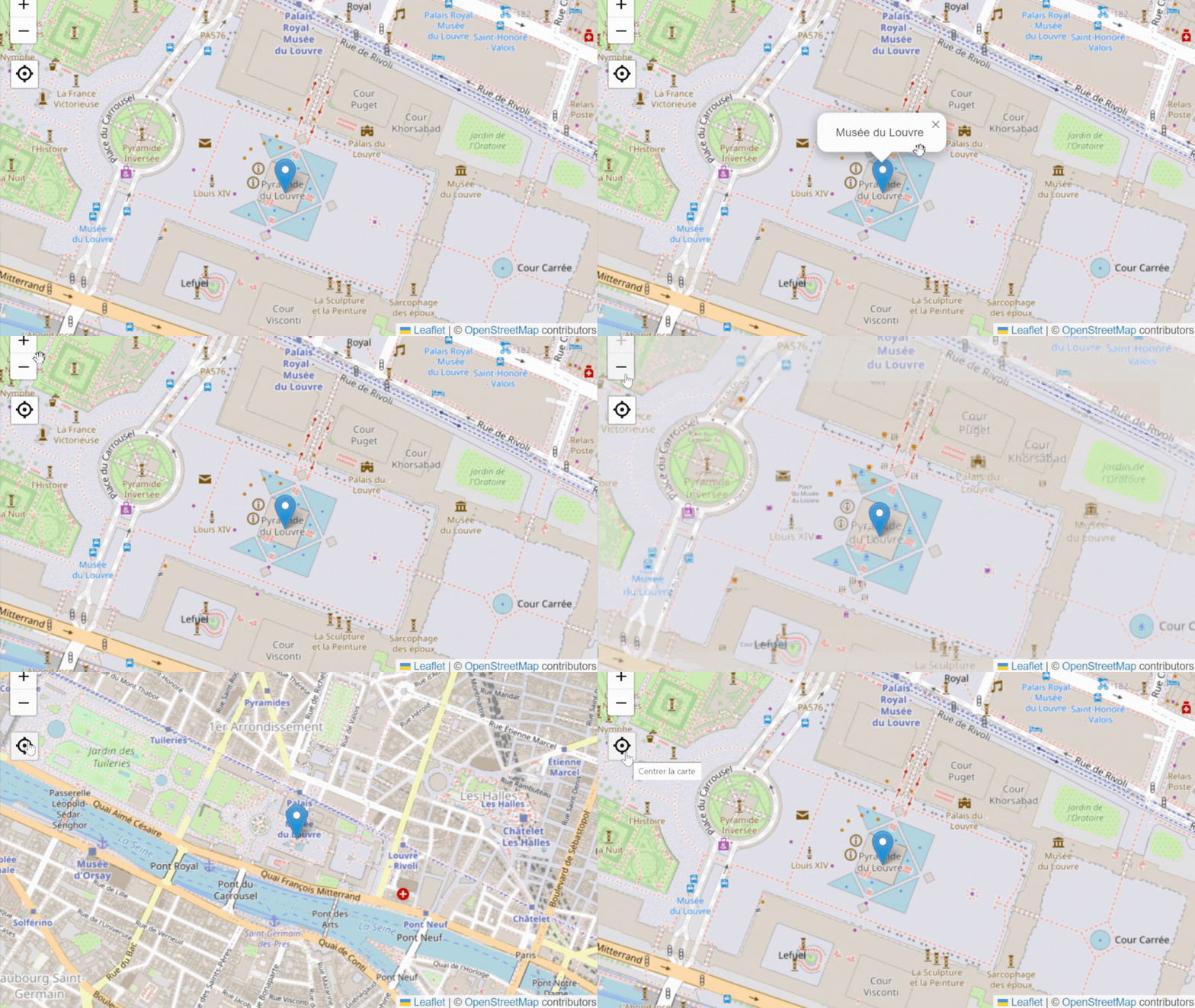
Capturing the audience’s attention and stimulating engagement are imperatives for any successful marketing strategy. Calaméo’s Leaflet integration enables you to do both, offeringan interactive experience that will captivate your readers. Discover how this innovative tool can maximize the impact of your digital publications.
Create interactive maps in just a few clicks
Guide your readers wherever you want
Guide your readers to your stores, events or any other relevant location with disconcerting simplicity. With Leaflet, your potential customers can easily navigate to the destinations they want, increasing their interest in your offers.
Map making made easy
One of Leaflet’s greatest strengths is its ease of use. Unlike other complex mapping solutions, Leaflet offers an intuitive API with well-documented functions and options. This simplifies the process of creating your interactive maps, allowing your team to concentrate on creating quality content rather than technical aspects.
Add popups and markers
Popups and markers are a powerful way of enriching your readers’ experience. Imagine being able to display clickable information about specific locations, such as stores or tourist sites, directly on your integrated maps. With Leaflet, this feature becomes accessible, allowing you to deliver relevant details to your audience with just a click.
💡 Add Leaflet to your Calaméo account now.
Personalize your map
Your brand has a unique aesthetic, and your publications should reflect this identity. With Leaflet, you can customize the style of maps, markers and polylines to match your company’s aesthetic. Choose from a range of colors, icons and patterns to create a consistent visual experience that reinforces your brand recognition.
Stimulate interaction and engagement
With Leaflet, you can encourage your readers to explore, zoom in and personalize their experience with the maps you integrate into your Calaméo publications. This interactivity strengthens the bond between your brand and your audience, fostering deeper, longer-lasting engagement.
Maximize the impact of your digital publications
Increase the visibility of your digital publications
Integrating Leaflet into your Calaméo publications can also help increase your company’s online visibility. By offering interactive maps with relevant information, you make your content more attractive to search engines, which can improve your ranking and web presence. What’s more, making your geographic information easily accessible to your audience contributes to a better user experience, reinforcing your brand’s reputation.
Improve the user experience
Leaflet integration goes beyond mere aesthetics. By offering your readers a personalized, interactive experience, you improve their overall user experience. This can translate into higher visitor retention, increased time spent on the website and a greater propensity to interact with your content. Ultimately, a better user experience leads to greater loyalty and increased conversions.
Generate leads
One of the main reasons to use Leaflet’s integration with Calaméo is its ability to generate leads. By enabling your readers to interact with interactive maps, not only improving the user experience but also stimulating interaction and engagement, and increasing the visibility of your content, you’re guaranteed to attract a wider audience and boost your conversion rates.
Conclusion
🔎 In summary, Calaméo’s Leaflet integration offers several advantages for your brand:
- It enhances audience engagement by offering an immersive experience.
- It promotes lead generation through interactive features.
- Reinforces your brand’s visual identity through extensive personalization.
- It simplifies the process of creating interactive content, saving time and resources.
In conclusion, Leaflet integration opens up new possibilities for energizing your content and strengthening the impact of your brand online. By integrating interactive maps, encouraging interaction with your readers and personalizing the style of your publications, you can create a unique and memorable experience for your audience. Take advantage of this feature to maximize the impact of your publications and successfully achieve your marketing objectives.
💡The INTEGRATIONS feature is only available for PLATINUM accounts.
Request your 14-day free trial of Calaméo PLATINUM and test all our professional tools now!

 Try Calaméo PLATINUM free for 14 days and explore all our advanced features.
 Please note that the scheduling feature is available for PREMIUM and PLATINUM users only.
 Also read:
  Subscribe to