What do “digital natives” have to learn about digital skills? The generation of children in school today have grown up in a connected world. Smartphones, social networks and internet culture have been part of life for many as long as they can remember. These young digital natives are defined by their comfort with technology and use digital tools intuitively. Unlike their older “digital immigrant” teachers, today’s students do not need to be taught how to log on.
Given this digital intuition, it makes sense that technology has found a central place in the classroom. Teachers increasingly use connected computers, tablets and even smartphones in lessons around the world. Students might be asked to research, work together with classmates on a group project or turn in homework online.
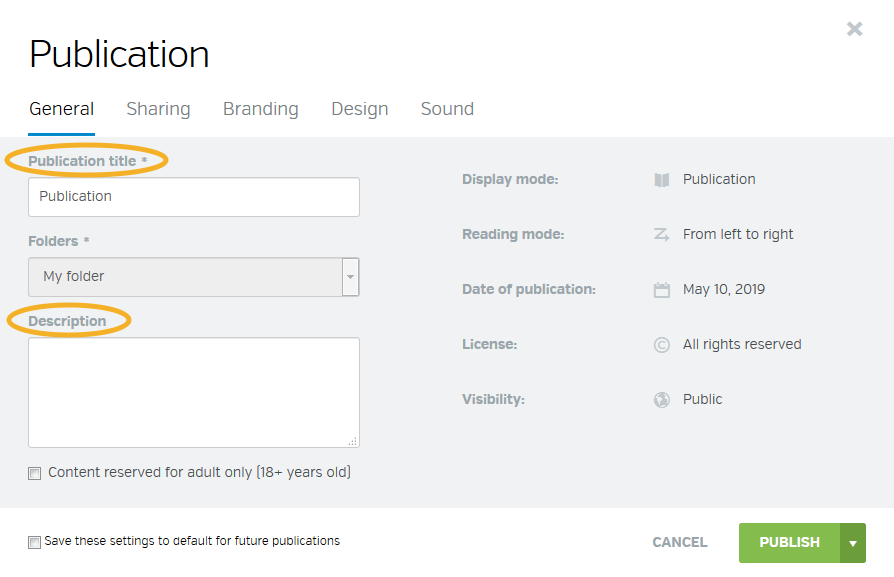
Digital publishing offers practical tools for students to share their work while also learning valuable digital skills. These skills go beyond the simple use of technology to help build students’ awareness of some of the biggest issues in our information society: accessibility, media literacy, digital community and understanding code. Read on to find out how digital publishing sharpens these key skills in the modern classroom.
Paperless pros
Although the future is probably not 100% paperless, plenty of everyday life has moved to the screen. Digital natives are more likely to expect experiences like shopping, banking and entertainment to be accessible online and reading is no exception. That’s why many publishers make a wide variety of titles aimed at younger readers available on Calaméo for parents and kids to sample.
As digital natives head off to school, digitally published textbooks can represent an important source of information. Online course material meets students where they are: on their phones, using Google to research their homework. By publishing textbooks digitally, educational publishers can ensure that digital natives find reliable facts through search and maybe even remind them of the paper copy sitting in their backpack.
Publishers can also offer convenience to students at ease with digital books, which are searchable, downloadable and impossible to forget in their rooms. With college textbook prices in particular at an all-time high, online editions can be an especially attractive option for today’s students. Since these publications live in the cloud, course information is accessible in and out of the classroom. Instead of staying buried deep in the clunky platforms of enterprise education applications, learning material can be consulted anywhere, anytime.
Critical thinkers
The enormous amount of information available on the web may seem particularly amazing to those old enough to remember starting homework assignments with a stack of library books. All of this information poses new risks to digital natives. In the age of fake news, 91% of teachers think that evaluating the quality of information online is an “essential” skill for students to learn.
Digital publishing platforms can be a great tool for teaching media literacy, or the ability to understand how information is communicated. While researching online, students need to know how to consider more than just the search results. Factors such as the format, the publisher and the source of information are essential to judging its quality: newspaper article or wiki? Amateur or expert? Facts or opinion? Digital publications are a rich medium for students to explore and analyze, providing diverse materials published on a huge range of topics.
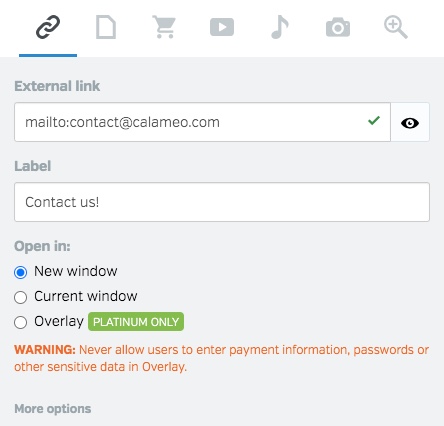
Learning to think critically about sources matters not only when reading, but also when writing. One study found that a third of high school students admitted to copying from the Internet in their homework. Tools like Calaméo’s Editor let students add external links to their digitally published presentations, reports and projects to cite their sources.
Learning communities
Digital publishing is also an opportunity for today’s students to become part of a type of online community different from those than they may already belong to. Internet users younger than 25 are more concerned than older users about privacy on the web. But unlike social media networks, digital publishing platforms do not restrict interaction to friends only. This openness can teach students valuable lessons about being part of a global community.
Once a digital native becomes a digital publisher, she adds her own voice to the vast resources available online. Students publishing on Calaméo also have the option of creatingprivate publications, which are not indexed for search. Since how to approach online privacy is in the news and on the minds of young people, students should decide carefully when to publish privately and when they want to join a worldwide conversation.
Whether public or private, digital publications are the site of innovation in teaching and learning. From educators publishing lesson plans to student newspapers distributing online editions, digital publishing brings both local and global communities together. Some inspired teachers are even using digital publishing to grade assignments, reviewing the homework that individual students publish and leaving comments with feedback.
Future developers
Although digital publishing is a great tool for teaching in almost any subject, one of the ways it is most useful is for students who are beginning to learn coding skills. Digital natives may feel immediately comfortable with technology, but comfort does not mean an ability to code or even understand what’s happening behind the user interface. By 2020, an estimated 1.4 million software development jobs will go unfilledin the US alone because there are not enough qualified candidates.
Students everywhere can benefit from reviewing the technical basics of digital publishing. Uploading different file types to Calaméo is simple, but today’s students need to know what it means to publish in HTML5 and what that allows you to do. Studying up on the differences between a PDF, digital publishing and file sharing services is a good place to start.
To gain practical skills, beginner students can try their hands at development activities using digital publishing. Embedding a publication in a student-created webpage is a perfect project for learning about Iframes, a key building block of many websites, while creating a fully responsive Library widget display may be appropriate for more advanced students. Students interested in design can take advantage of Calaméo’s uniquely adaptable viewer by coding their own viewer Themes.
Final marks
Digital publishing makes it easy for students to access course materials and offers teachers many possibilities for encouraging them to develop media literacy, participate in an online information community and improve tech know-how. When it comes to helping digital natives strengthen important digital skills, Calaméo is at the top of the class.

Why an interactive publication can (actually) generate leads
A digital publication isn’t just a nicer-looking PDF. When it’s built with intent, it becomes a true acquisition asset: it attracts attention (SEO and sharing), keeps people engaged (smooth reading and navigation), and drives action (clicks, form submissions, requests). The difference between a publication that simply “gets views” and one that generates leads usually comes down to one thing: a clear, trackable journey. Readers immediately understand what’s in it for them, click at the right moment, and land on a conversion step that makes sense (a landing page/form or a meeting booking flow), while the data flows cleanly into your stack (analytics + CRM).
Lead gen with an interactive publication means turning readers into qualified contacts through contextual links and CTAs, connected to a landing page/form or a meeting-booking module—then measured with UTMs, KPIs, and analytics (e.g., GA4).
The part most teams miss: integrations matter as much as CTAs
A CTA without an integration is just a click that goes nowhere. A CTA with the right integration creates a lead that lands in the right place, at the right time, with the right context: source, campaign, intent—and a follow-up you can trigger faster. In short: the CTA is what people see. The integration is what makes it work. That’s what separates a publication that feels engaging from one that converts.
Checklist :
1 primary goal per publication (demo, quote request, signup…)
Contextual CTAs (repeat the main CTA 2–3 times max)
UTMs on every channel (email, social, ads, QR, partners)
Measurement via Google Analytics 4 or Matomo
Why choose Calaméo to generate leads from your publications
If you publish PDFs (catalogs, brochures, magazines, reports), the goal isn’t just readability. It’s making them actionable (CTAs that drive to conversion points) and trackable (tracking + attribution), while keeping the workflow simple for your team. With Calaméo, you can turn a publication into a lead-gen entry point thanks to integrations that sit right inside the reading experience: meeting booking (Calendly, HubSpot Meetings, OnceHub, Zoho Bookings), forms (HubSpot Form, Typeform, Jotform, Fillout, Formbricks, Google Forms), analytics (GA4, Matomo), rich content (Embedly, YouTube, Vimeo, TikTok), and even e-commerce (Shopify), depending on your use case.
7 lead gen scenarios (with recommended Calaméo integrations)
An interactive publication can generate leads at different moments in the journey—from very high-intent actions (requesting a quote, booking a meeting) to more long-term goals (newsletter growth, nurturing). The goal isn’t to switch on all seven plays at once. The fastest path is to pick one scenario, execute it cleanly (CTA + integration + tracking), then reuse that model across your future publications.
In each scenario below, you’ll find:
the context and goal (so you know when to use it),
the recommended journey (how readers move from reading to action),
the Calaméo integrations to enable (forms, meetings, analytics, rich content),
the CTAs—and what to measure to improve results.
Each scenario lines up with a stage of the funnel:
A catalog is often viewed by prospects who are already pretty far along. Your priority is to shrink the gap between “I’m interested” and “I’m talking to someone / requesting a quote.” The publication becomes both a showcase and a shortcut to action.
The journey that works
A reader lands on a product line, browses 2–3 pages, then hits a clear CTA (quote or meeting) that sends them to a super simple landing page or straight into booking. At this stage, every bit of friction costs you leads: forms that are too long, pages that feel generic, or a lack of proof.
Integrations to enable (Calaméo)
To convert product interest into leads without friction, pair a “request a quote” CTA with an embedded form—and offer a direct meeting option for the hottest prospects.
HubSpot Form or Jotform (or Typeform): capture the request (product/category, quantity, timeline, contact details) directly inside the publication.
Calendly, HubSpot Meetings, OnceHub, or Zoho Bookings: offer one-click booking to speed conversion (especially effective on “best sellers” and “bundles”).
Google Analytics 4 or Matomo: track CTA clicks and compare channels (email, social, ads, QR, partners) using UTMs.
CTAs (keep them extremely direct)
“Request a quote”
“Talk to an advisor”
“Book a time slot”
What to measure
The most useful trio: CTR, landing/booking conversion, and opportunity conversion rate.
A B2B brochure converts when it drives one clear action: the demo. The best timing is after the promise—then right after proof (case study, results, numbers).
The journey that works
Your brochure reassures (benefits), proves (results), then offers a simple next step: “Book a demo.” The landing page shouldn’t re-explain everything—it should reinforce the promise and make it easy to take action.
Integrations to enable (Calaméo)
The goal is straightforward: move readers from “I get it” to “I’m booking.” A calendar integration inside the publication is often the shortest path.
HubSpot Meetings or Calendly (or OnceHub / Zoho Bookings): book a demo directly inside the publication with a smooth flow.
HubSpot Form or Typeform: if you want to qualify before the demo (team size, need, timeline) via an embedded form.
Google Analytics 4 or Matomo: measure click-through rate, traffic source, and campaign performance.
Recommended CTAs
“Request a demo”
“See an example”
“Talk to an expert”
What to measure
Booked meetings / landing visits, show-up rate (if you track it), and opportunity conversion.
Scenario 3: White paper / report → lead magnet (email-gated access)
Study/report/benchmark formats are great for inbound leads—if the value is obvious. The most effective approach is usually to tease 1–2 insights, then offer full access.
The journey that works
Readers sample the content, see the value, then share an email to access the rest (or annexes/templates). After that, you run a short follow-up sequence to keep momentum.
Integrations to enable (Calaméo)
A lead magnet works when it’s simple: clear promise, short form, measurable follow-up.
Mailchimp or MailerLite: embed a signup form to capture email and feed your list (ideal for nurturing).
HubSpot Form: if you want a more CRM/MQL-style approach with qualification fields.
Fillout, Jotform, or Typeform: if you want a more tailored form (topic choice, role, needs) without hurting the reading experience.
Google Analytics 4 or Matomo: attribute leads to channels (SEO, social, ads, partners) via UTMs.
Recommended CTAs
“Get the full report”
“Access the annexes / templates”
What to measure
Form conversion rate, source quality (UTMs), and follow-up performance if you run sequences.
Scenario 4: Press kit → media requests / partnerships (PR-ready)
Press kits get skimmed quickly. Your goal isn’t to force a full read—it’s to make contact effortless and provide the right assets (logos, photos, media kit).
The journey that works
After the pitch and key stats, you offer a clear press contact (email or mini-form), then easy access to the media kit. The experience should feel simple and professional.
Integrations to enable (Calaméo)
Here the priority is fast, “PR-ready” contact: interview requests, media kit access, partnerships.
Fillout or Typeform (or Google Forms): embedded mini-form (outlet, topic, deadline) to centralize requests without sending readers elsewhere.
Embedly, YouTube, or Vimeo: add “proof” content (interview, coverage, demo, excerpt) to build credibility.
Google Analytics 4 or Matomo: see which channels and pages drive the most press requests.
Recommended CTAs
“Contact the press team”
“Download the media kit”
“Request an interview”
What to measure
Contact clicks, media kit downloads, and UTM sources (press/partners).
Here, the lead is the subscriber. It’s often the highest-ROI long-term play: you build an audience you own instead of relying on social reach.
The journey that works
You deliver value (a strong article), then make a simple promise: “Get the next issue.” The form should stay minimal, and the welcome email should reinforce why it’s worth subscribing.
Integrations to enable (Calaméo)
The biggest lever is capturing subscribers at the right moment (after strong content) without interrupting the flow.
Mailchimp or MailerLite: embed a simple signup form (email + optional interest area) to grow your owned audience.
HubSpot Form: if you want richer data (role, industry) and qualification at signup.
Google Analytics 4 or Matomo: measure click/signup rates by channel and by issue (UTMs).
Recommended CTAs
“Subscribe to the newsletter”
“Get the next issue”
What to measure
Signup conversion, email engagement (opens/clicks), and return readership.
In a sales cycle, an interactive publication is valuable when it helps you follow up better. Send a clear asset, then watch for intent signals (pricing, demo, comparison clicks) to prioritize outreach.
The journey that works
Sales sends a link, the prospect browses, then clicks a key section. Follow-up becomes more relevant because it’s contextual: you’re not “checking in,” you’re responding to real interest.
Integrations to enable (Calaméo)
The goal isn’t more steps—it’s capturing a simple signal (question, request, meeting) and moving quickly into a real conversation.
HubSpot Meetings or Calendly (or OnceHub / Zoho Bookings): embed a “Book a call” CTA at the right moments (objections, pricing, comparisons).
HubSpot Form or Jotform: embed “Ask a question” / “Request a proposal” to turn silent readers into leads.
Google Analytics 4 or Matomo: track clicks on key sections (pricing, comparison, demo) and measure outreach impact (UTMs by sequence).
Recommended CTAs
“Compare plans”
“See the demo”
“Ask a question”
What to measure
Clicks on key sections, follow-up success rate, and pipeline progression.
Scenario 7: Event (trade show, conference) → leads via QR code (ultra-fast conversion)
At events, your publication should be mobile-first and conversion-first. Full reading is secondary—you want a fast lead with clean event attribution.
The journey that works
Scan QR → clear entry page → “Get the presentation” CTA → ultra-short form → instant email. The goal is to capture the lead while the conversation is still warm.
Integrations to enable (Calaméo)
On-site, everything is about friction: a short form or an immediate meeting—measured cleanly with UTMs.
HubSpot Form (or Jotform / Google Forms): ultra-short embedded form (name, email, company) for mobile lead capture.
Calendly or HubSpot Meetings (or Zoho Bookings): “Book a meeting” option for the most qualified visitors—right inside the publication.
Google Analytics 4 or Matomo: clear attribution with utm_source=qr + utm_campaign=event_name, and comparisons across events/booths.
Recommended CTAs
“Get the presentation”
“Book a meeting”
“Request a callback”
What to measure
Scans→views, form conversion, meetings/calls post-event.
Where to place CTAs without “breaking” the reading experience
The goal isn’t to add CTAs everywhere. It’s to place CTAs where intent is strongest: after proof, after an “offer” section, after a case study, or at a decision moment (pricing, bundles). A simple rule works well:
one main CTA repeated 2–3 times in the publication,
a few secondary CTAs only if they don’t dilute the main goal,
a consistent landing experience (same promise, same wording, same benefit).
At a minimum, you should be able to answer: which channel drives the most clicks? which channel drives the most qualified leads? which CTAs perform best? Google Analytics 4 and Matomo are the two Calaméo integrations that cover measurement and attribution.
Common mistakes (often integration-related)
A form that’s too long (especially on mobile)
Reading inside a publication is smooth. If conversion takes 10 fields, you break the flow and lose a big chunk of leads. Capture the essentials first—qualify later.
No UTMs, so no attribution
Without UTMs, you can’t compare email vs social vs QR vs ads. You’ll get leads, but you won’t know what’s worth scaling.
A promise that doesn’t match the landing page or form
If the CTA says “Get the full report” and the next step asks for a generic “Reason for contacting us,” conversion drops. Message match is non-negotiable.
Launching too many scenarios at once
Start with one scenario, then replicate. Performance comes as much from iteration as from your initial choice.
Conclusion
An interactive publication becomes a lead engine when it’s built like a system: CTA → integration → follow-up → improvement. The 7 scenarios above are intentionally easy to reuse: activate one quickly, measure with UTMs and GA4/Matomo, then optimize based on the pages and CTAs that actually perform.
Suggested CTA (adapt as needed) • Button: “Create a lead-focused publication” • Secondary button: “Enable tracking (UTM/GA4)”
FAQ
How do you generate leads with an interactive publication?
An interactive publication generates leads when it guides readers to one clear action (demo, quote, signup) using contextual CTAs connected to a form or a meeting-booking module. To improve performance, tag your links with UTMs, then analyze what converts in Google Analytics 4 or Matomo.
What are the best CTAs to convert inside a publication (catalog, brochure, magazine)?
The best CTAs are simple and action-driven: “Request a demo,” “Request a quote,” “Book a time slot,” “Get the full report,” “Subscribe.” They work best after proof (case study, metrics, offer) and when the next step is perfectly consistent.
Where should you place CTAs in an interactive publication to maximize leads?
Place the main CTA 2–3 times max: (1) after the promise, (2) after proof (case study, metrics), (3) near a decision section (bundles, comparison, contact) or in the final recap. Avoid putting everything on the last page.
Landing page or embedded form: what converts better?
Landing pages convert better when you need to persuade (proof, benefits, case study). Embedded forms convert better when intent is already high (event leads, quick quote, “hot” demo). In both cases, the key is CTA → promise → form consistency and fewer fields.
Which Calaméo integrations should you use to capture leads inside a publication?
For forms: HubSpot Form, Typeform, Jotform, Fillout, Formbricks, Google Forms. For newsletter signup: Mailchimp and MailerLite. For meeting booking: Calendly, HubSpot Meetings, OnceHub, Zoho Bookings. For measurement: Google Analytics 4 and Matomo.
How do you track leads from a publication and know which channel converts (email, social, QR, ads)?
Add UTMs to every distribution link (and ideally to key CTAs). In GA4 (or Matomo), you can compare conversions by source, medium, and campaign. Without UTMs, you lose the ability to prioritize and scale.
What metrics should you track to optimize a lead-focused publication?
The most actionable metrics are: views/readers, CTA clicks, CTR, conversions (forms or bookings), and UTM sources (email, social, QR, ads). The goal is to identify what triggers action—then repeat that pattern in future publications.
What mistakes kill conversion on an interactive publication?
Most often: too many CTAs (unclear goal), forms that are too long, no UTMs, a landing page that doesn’t match (no message match), and no iteration. Often, moving a CTA, simplifying the form, and tightening the promise is enough to boost conversion.
Making a strong connection between your audience and your brand is a key goal for digital publishers everywhere. In this article, get our tips on how to keep your audience engaged with your publications and improve reading time.
What is reading time?
Reading time is a metric that shows how long people spend viewing your content. On Calaméo, this information is available as part of your account statistics.
You can toggle between the total reading time of your publications and the average reading time per view. The total reading time represents the combined amount across all views. The average reading time represents how long a typical view of your publication lasts.
Thanks to your Calaméo statistics, it’s easy to explore daily, monthly and yearly trends in reading time. Plus, see mobile and desktop breakdown, sources and more.
Reading time can be an especially valuable way to measure audience engagement with your digital publications. The more time people spend reading, the more interested they are in your content—and the more likely they are to keep coming back.
With no further ado, here are four tips to improve reading time for your ditgital publications!
How can I improve reading time?
Use Bold Graphics
Grab your readers’ attention with lively layouts, like in this example from Mixte magazine:
This large, colorful image paired with a pull quote invites the reader to dig into the article and find out more. Clean fonts and plenty of white space make the text easy to read. Fun fonts, new colors and infographics are other great ideas to try.
Index Key Terms
Some readers will view your publication to look for specific information. You can help them find it painlessly by optimizing your document for internal search. All of the text in your publication is automatically indexed for the search function inside our viewer. To benefit, make sure that essential terms are included as text rather than images.
💡TIP: Creating a table of contents for your publication can also make it easier to navigate. Then readers can spend less time in search frustration and more time enjoying your content!
Check External Links
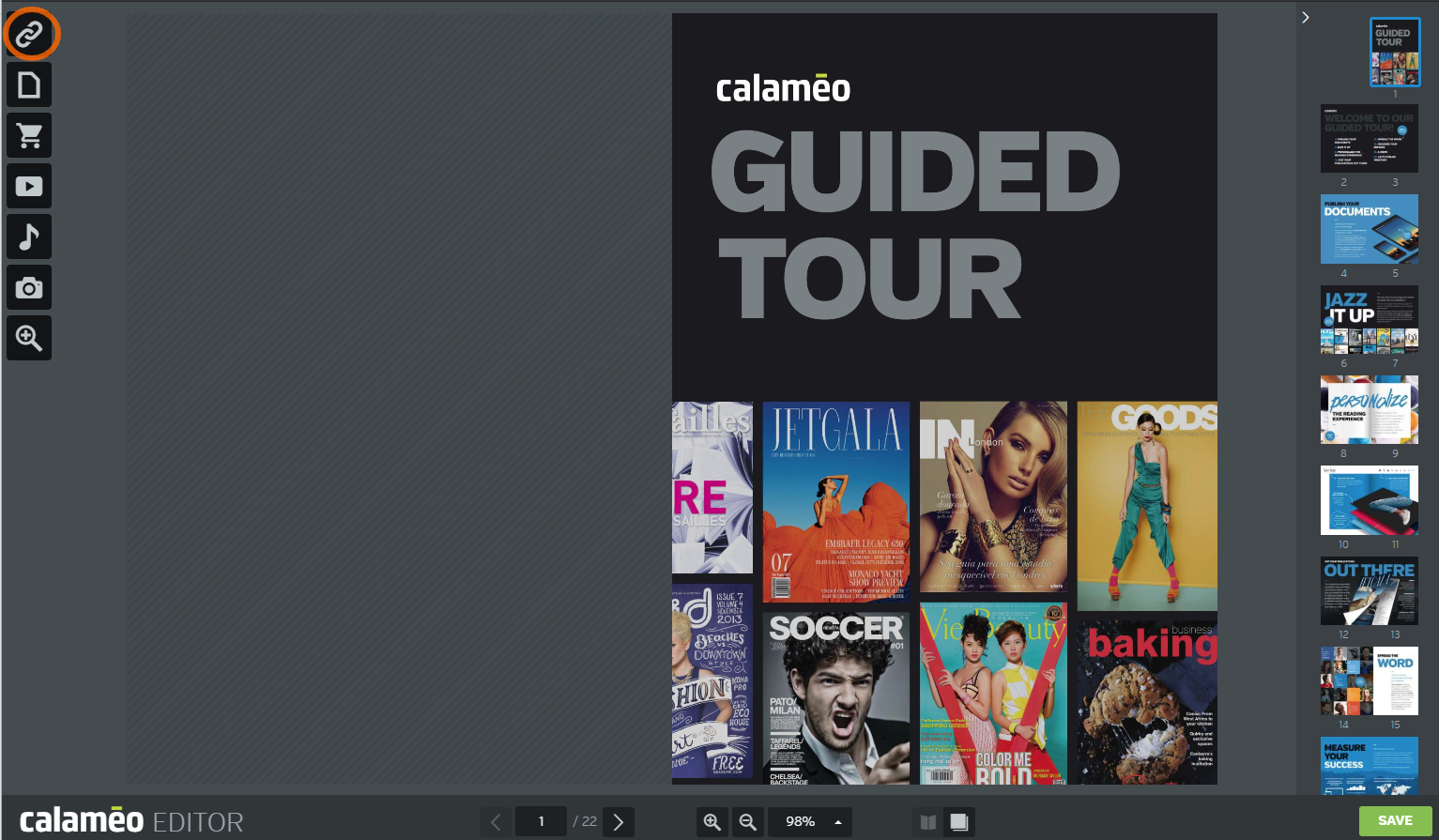
Publishing digitally allows your readers to shop products, visit advertisers and learn more about your business, all from their browser. Although it’s simple to add external links to your publications with the Calaméo Editor, don’t forget to check the “Open in a new window” box. That way, the publication won’t close when readers click your links and they can return to your content effortlessly. Seamless browsing is good UX and is a quick fix to improve reading time for your publications!
Get Interactive
Since video and audio have proven to be enormously engaging to today’s internet users, you can use them to good effect in your online publications. For example, in this catalog from Samedia, a video clip provides a product illustration:
These interactive elements encourage your audience to watch, listen and dive deeper into your content. Result: higher reading times!
💡TIP: Calaméo’s PLATINUM plan lets you include audio from SoundCloud and video from YouTube directly on the page.
Equipped with our tips, you’re ready to improve reading time for your publications. But to go even further, evaluate which of your content performs best and adapt to your audience’s interests. Your advanced statistics includes pages with the longest reading times so you can identify areas to focus on—and keep growing audience engagement!
If you’re ready to give these tips a try, it’s time to request your PLATINUM Demo. During your two-week free trial, access the full range of unlimited statistics on Calaméo and test out the great features of our professional publishing plan.