A brand-new issue of CALAMEO Magazine is out today for you to read and share! Take a look at what’s inside the Work issue.
In this edition, we focus on the changing ways that people are getting their jobs done in 2020—and beyond. You’ll learn about how the pandemic has reshaped the future of work, from on-site needs to the online office. Plus, check out quick stats on shopping from home, tips for better digital publishing on Calaméo and much more.
💡 TIP: Missed an earlier issue? No problem! Head to the complete archive and browse every edition.
It is our pleasure to bring you another CALAMEO Magazine to finish the year. Thank you to all of our readers and we hope that you enjoy the Work issue! Watch for even more great publications coming from the Calaméo team in 2021.
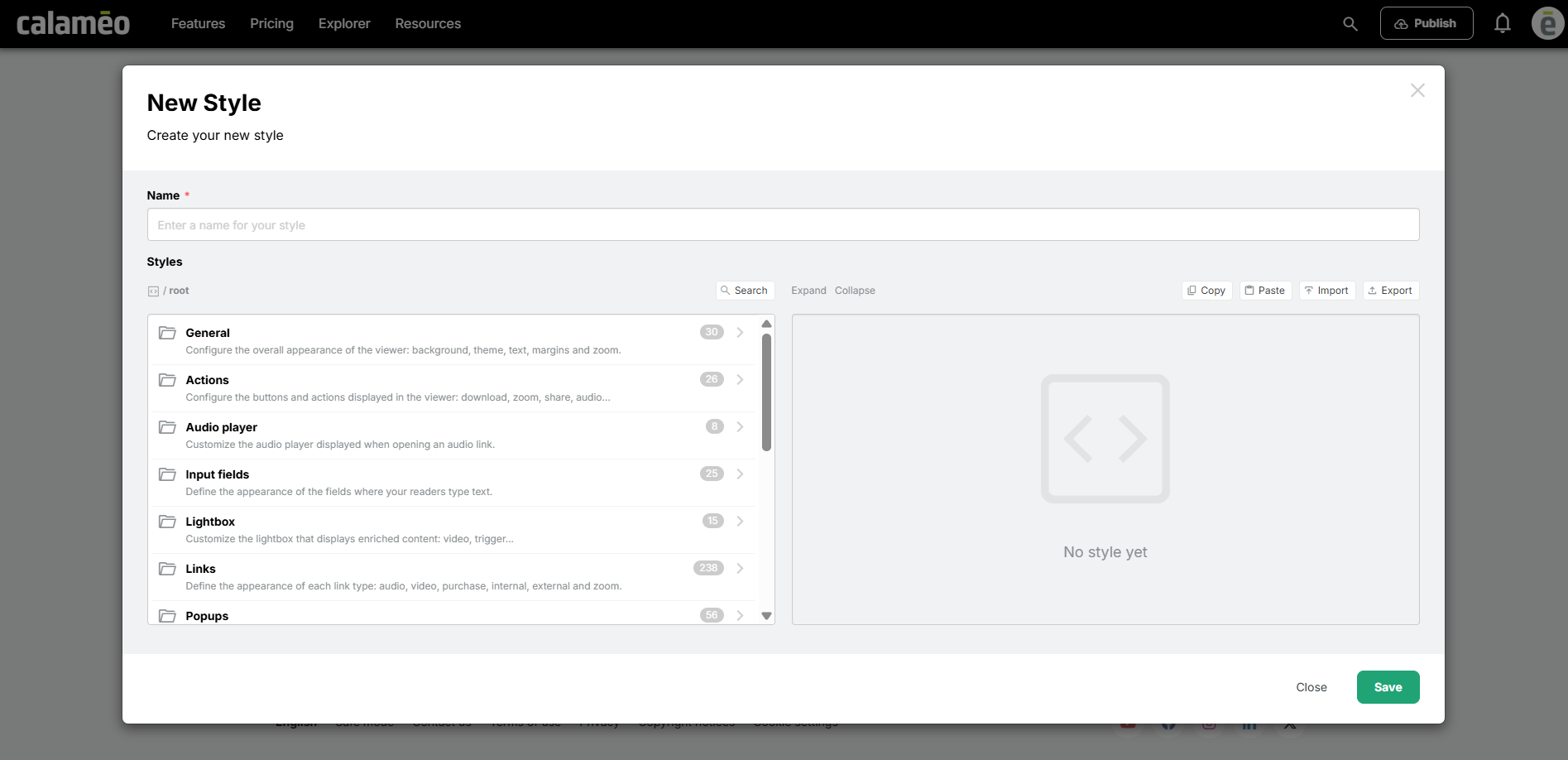
At Calaméo, we’re always looking for new ways to make publication customization easier, faster, and more accessible. Today, we’re excited to introduce a new feature designed to save you time while strengthening your brand identity: the Style Editor.
Customize your viewer in just a few clicks
Until now, customizing certain elements of the viewer often required technical adjustments or coding knowledge. With the new Style Editor, the process is now much more intuitive.
Using a dedicated interface, you can easily personalize the main elements of your viewer to create a reading experience that perfectly matches your brand identity.
Simpler, more powerful customization
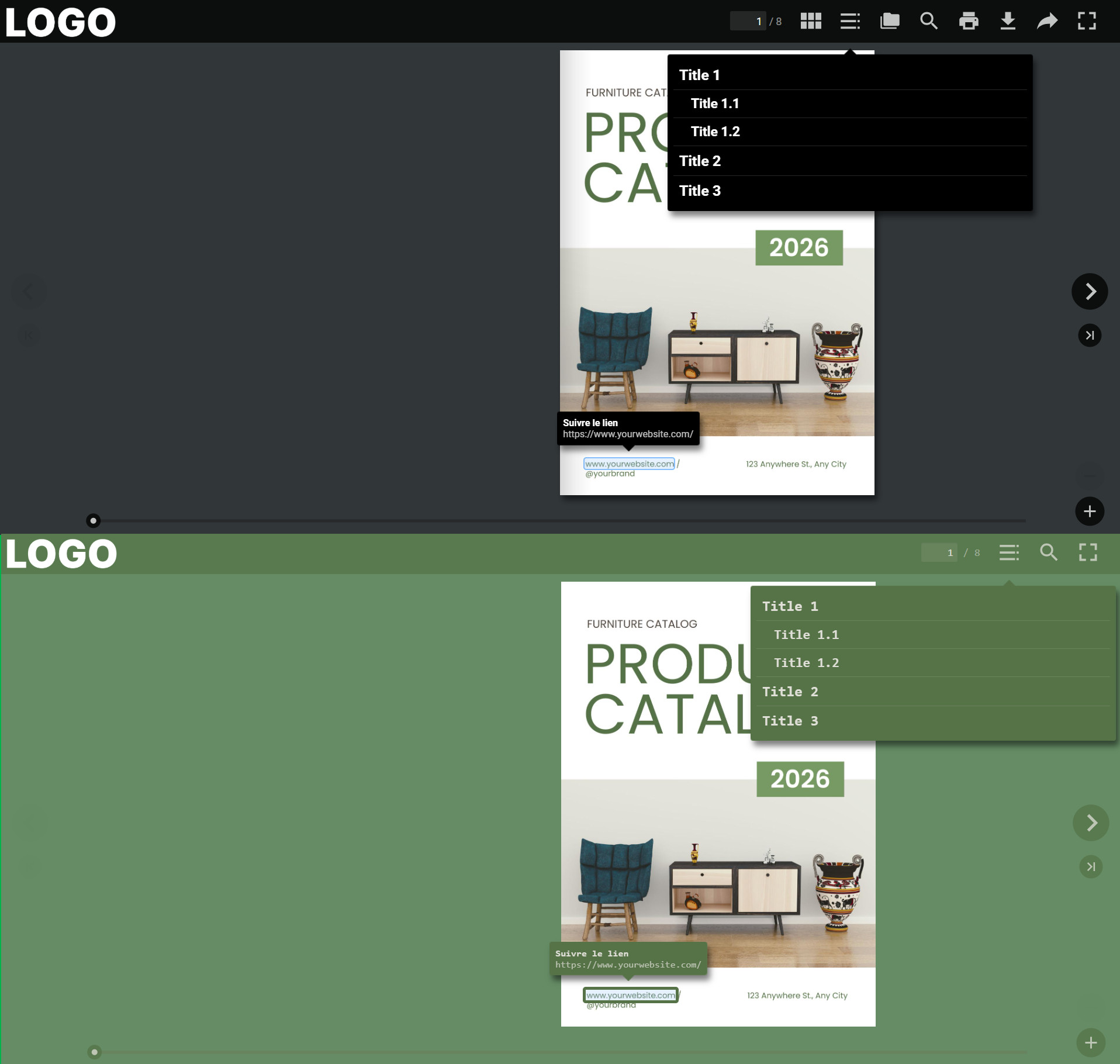
The Style Editor allows you to quickly customize key interface elements, including:
Viewer buttons
Link appearance
Tooltips
Background colors
Overall viewer display
And much more!
In just a few clicks, you can adapt the reading experience to your visual identity without dealing with complex technical settings.
Before / after example
A viewing experience that reflects your brand
A publication is more than just its content — the reading environment also plays an important role in the overall user experience. With the Style Editor, you can align your viewer with your brand guidelines while highlighting the interactions that matter most.
The result: a more consistent, professional, and engaging experience for your readers.
Save time while staying in control
With this new feature, you stay fully in control of your publication’s appearance while simplifying your workflow. No more complicated technical solutions to create a customized viewer: the Style Editor brings all the essential settings together in one clear and user-friendly interface.
Whether you want to strengthen your branding, improve reading comfort, or create a more immersive experience, the Style Editor makes it easy to go further.
Try the Style Editor today
The Style Editor is now available for all PLATINUM users. Start exploring it today and create a viewer that truly reflects your brand identity.
Spring is here and so is the 9th edition of Calaméo Magazine! Read our brand-new Music issue, out today:
This edition is all about music and audio. Whether you’re an aspiring musician, podcast aficionado, or simply a casual listener, you’ll find something for you in this issue of the Calaméo Magazine. We have statistics about the music industry and a spotlight on the invention of music recording, plus songwriting tips from top artists and a special Spotify playlist (and of course much more)!
But the most exciting development for this issue of the Magazine? It’s now available in French HERE! We are so happy to be able to offer Calaméo Mag to our francophone readers all around the world. Don’t hesitate to share the version en français with your French-speaking friends!
💡TIP: Missed an earlier issue? No problem! Head to the complete archive and browse every edition.
We hope you enjoy this issue of Calaméo Magazine! Let us know on Twitter @Calameo what you think, and stay tuned for the next edition.