We are excited to announce that a brand-new issue of CALAMEO Magazine is now online!
For our second issue, we decided to take on a subject that a lot of people are thinking about this time of year: travel. We love travel publications on Calaméo and getting to know destinations all around the world, so we devoted this issue to vacations, staycations and adventure. Check out some of our favorite reads, learn how changing travel trends impact digital publishing and more.
Be sure to take a peek around the viewer—it’s all decked out in the custom Skin we made just for the magazine.
💡TIP: Missed the first issue? Browse CALAMEO Mag #1 now!
We’re especially proud of our global community here at Calaméo and hope that our users everywhere will enjoy this latest issue of CALAMEO Magazine. Happy reading!
Where in the world are you reading CALAMEO Magazine from? Tag us on Twitter @calameo and let us know!

Going from browsing to buying is easier than ever.
Your publications can now become an even richer source for conversions, thanks to our brand-new feature: Shopping links.
What is it for?
Calaméo’s professional publishing tools already offered a great way to boost your image by highlighting your content and products in custom, interactive publications. With Shopping links, you can create a direct connection between your content and your ecommerce strategy.
How does it work?
Just add links to specific product pages in your online store—the Shopping cart button will appear on the page to let your audience know they can click to buy.
Even better, you can choose to have your Shopping links open directly inside your publication. Readers can view product details, add to cart and keep shopping your site seamlessly, without leaving your catalog.
You’ll also gain key e-commerce insights thanks to the new Shopping links breakdown in your Calaméo statistics. See which products are driving the most interest by checking the clicks on each of your Shopping links. Need the CTR? No sweat—it’s calculated automatically for you.
There’s plenty to explore for anyone who wants to bring their sales and digital publications closer together. Happy shopping!
Shopping links are exclusive to our PLATINUM plan. To access this feature, upgrade now. If you’d like to give Shopping links a spin, request your free 14-day PLATINUM DEMO and test all of the possibilities professional publishing has to offer on Calaméo.
For many businesses, showcasing digital publications on their own website is a great business solution. Clients can enjoy the convenient presentation and interactive features of catalogs, magazines and more all while browsing the brand’s site.
To help you take advantage of this powerful tool, we’ve created a complete guide to embedding your publications!
In part three of this series, we will explain how to track the statistics of your embedded publications and tips for mobile responsiveness.
Measuring Performance
Once your publications are available on your site, looking exactly as intended, they’re ready for visitors to read, click and explore. It’s also time to start measuring the performance of your embedded publications.
Understanding the sources of your audience is easy with Calaméo’s advanced statistics. All users have access to Source data in the Statistics tab of their accounts, which shows the percentage of your publications’ views that take place on Calaméo, in embeds and from a Library Widget.
Our PREMIUM and PLATINUM plans allow you to break down Source data across a range of other stats. For example, you may wish to see what percentage of readers are clicking links in your embedded publications or whether embedded publications are read for longer.
Mobile Responsiveness
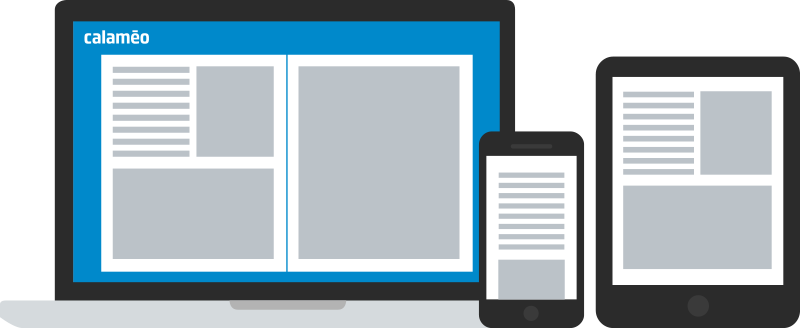
Your Calaméo account statistics will also help you to understand how readers prefer to view your embedded publications: on their desktops, smartphones or tablets. If you notice a high percentage of viewers using mobile devices, you should consider ensuring that your embed is fully responsive.
While our viewer is always responsive on mobile, it’s important that your site is set up for a responsive embed using the Calaméo embed code. Each website is different and has its own specific needs, but here are the basics:
Define the width attribute in the iFrame tag of your publication’s embed code as 100%
Check that the container for your Calaméo embed code is correctly configured for responsive display
It may also be a good idea to test the display of your publication’s links, videos and other interactive elements on mobile so that they are comfortably sized for readers to enjoy on smaller screens.
That brings us to the end of our Complete Guide to Embeds series! You should now have all the information you need to make the most out of your embedded publications.
Have you embedded a Calaméo publication on your blog or website? We’d love to see your best work! Tag us @calameo on Facebook and Twitter or on Instagram@calameo_publishing.