Creating a professional digital publication shouldn’t take hours. With Calaméo, just a few minutes are enough to turn a simple PDF into an interactive and easy-to-share reading experience.
Here’s our quick guide to publishing your brochure in less than 10 minutes.
1. Prepare your PDF
Before publishing your document, make sure your file is ready to be viewed online:
pages in the correct order,
high-quality visuals,
text that is easy to read on mobile,
an optimized file size.
Whether it’s a business brochure, magazine, portfolio, guide, or catalog, every great digital publication starts with a well-prepared PDF.
2. Upload your document to Calaméo
Log in to your account and click on “Publish”.
Simply upload your PDF file: Calaméo automatically converts it into a digital flipbook publication.
In just a few moments, your document comes to life with a smooth interactive viewer accessible on desktop, tablet, and smartphone.
3. Customize your publication
Once your document is published, you can enhance the reading experience with several options:
Here on the blog, we show the details of different features that make Calaméo work for you. From virtual libraries to custom viewer themes, we’ve highlighted plenty of ways to bring your digital publications to the next level. But one tool that we haven’t talked about is the Calaméo API and how to use it.
Today we’re taking on the subject of Calaméo’s API. We’ll look at what API is and in particular ways that it can help simplify your digital publishing needs.
Short for Application Programming Interface, an API is the set of protocols that allows a particular program to communicate with a different program. A main advantage of having programs communicate with each other via API is that it removes the need for people to intervene between them.
For example, your business may use software to manage the content of your digital publications and Calaméo to publish them online. By connecting your content management system to Calaméo’s API, you can avoid having to transfer files manually from your software to your Calaméo account for uploading. You can instead configure your software to publish to Calaméo directly.
💡 TIP: To make use of our API, you’ll need to roll up your sleeves and code. If you’re not already comfortable with software development, we recommend discussing your specific needs with a professional for best results.
As a PREMIUM or PLATINUM user, you can publish up to 10 documents every 15 minutes or make up to 10,000 requests per hour with our API.
The Calaméo API in practice
It’s easy to see that making smart use of API can be a real timesaver. However, seeing where to get started may not be quite as easy. You might want to use Calaméo’s API if:
You use your own software for managing content
You use your own software for managing subscribers
You use your own monetization system
You want to monetize your publications on Calaméo
One of our API’s most valuable uses for our publishers is to create a system for selling their digital publications. First, make Subscriber lists to control reader access to their publications. Then, link your publication’s subscriber protections to an external payment program. A simple development will let you collect revenue for individual publications, a series or a period of subscriber access.
How to set up API access
The first step is to be sure you have a Calaméo account! If you don’t yet, you can sign up here for free.
Next, create an API key and set its access to the external software you want to connect. This is where you’ll need to begin developing your own code.
Once your API key is configured, all you need to do is consult our list of the Calaméo API’s methods and decide what you need to get done. The exact configuration for publishing, managing subscribers and monetizing content will depend on the programs used by your business.
To sum it up: No matter what you wish to accomplish with your digital publications, Calaméo’s API can be a great resource.
Email marketing remains one of the most powerful tools for building customer loyalty and driving conversions.But to fully leverage your campaigns, your online publications—brochures, catalogs, white papers, or flipbooks—can become much more than simple informational assets. With Calaméo and its integrations with platforms such as MailerLite and Mailchimp, your content can turn into a strategic lever for lead generation, audience segmentation, and marketing automation.
Collect leads directly from your publications
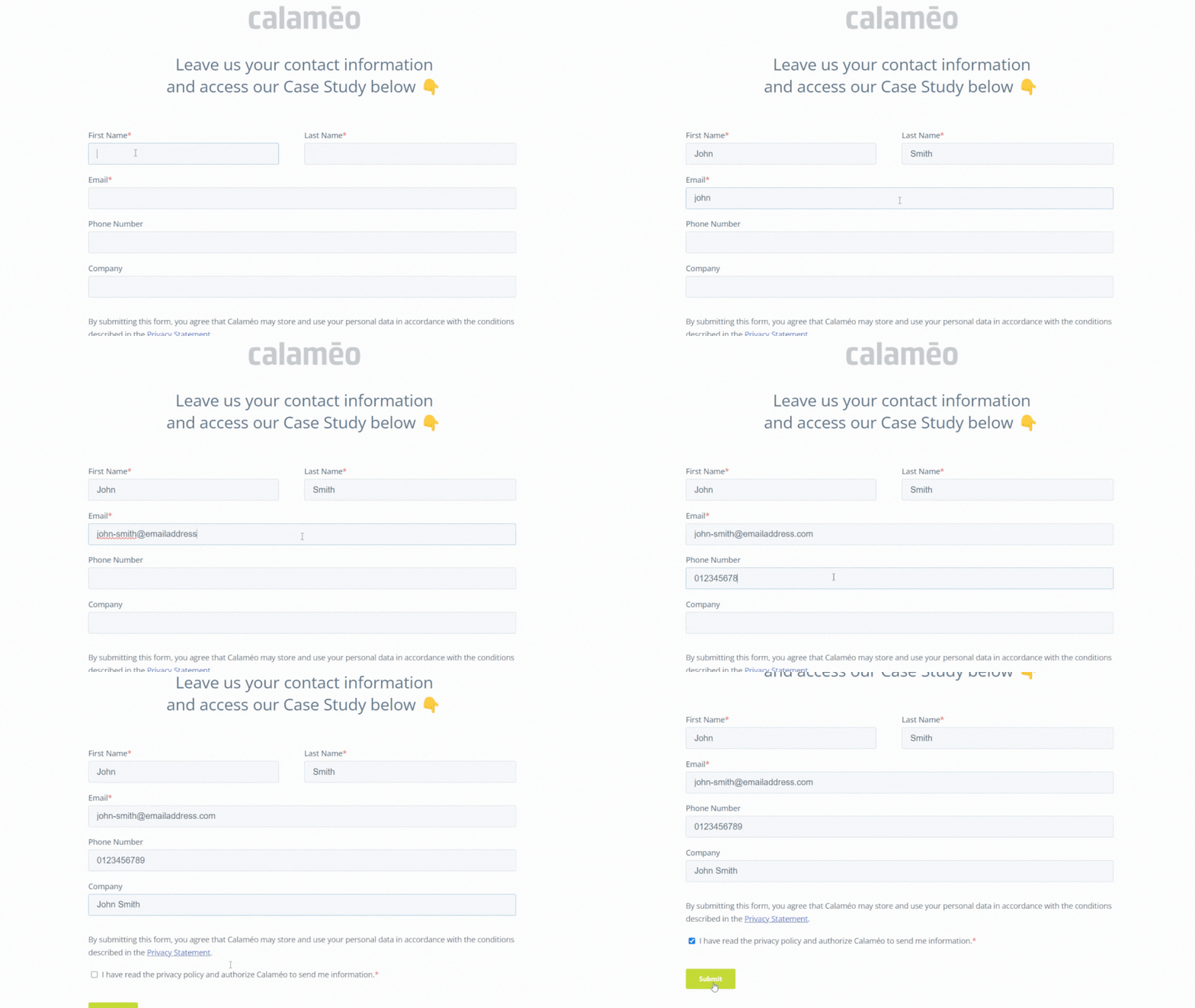
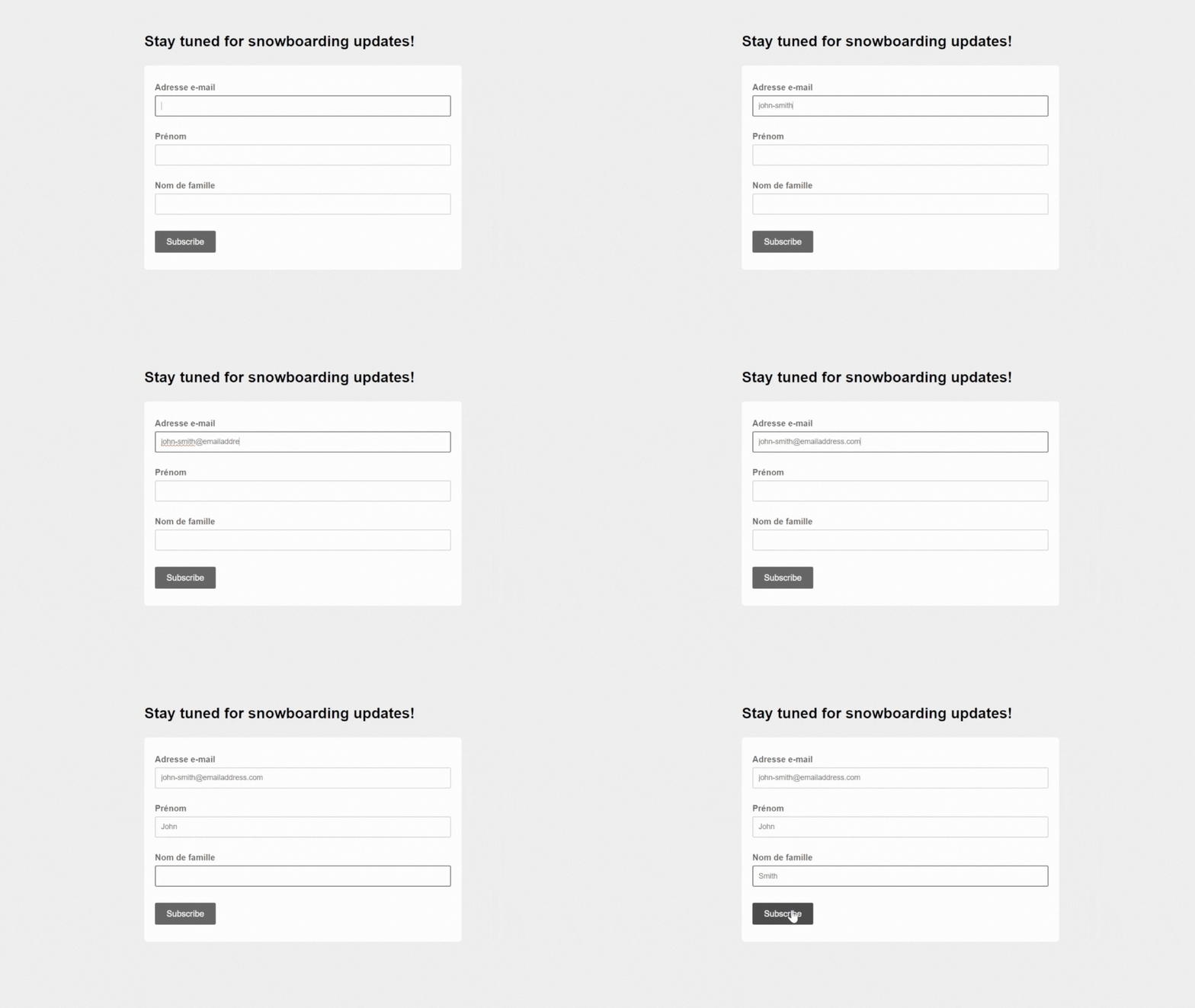
Traditionally, email address collection relies on external forms or landing pages. With Calaméo, however, you can embed MailerLite or Mailchimp forms directly into your publications.
Concrete examples:
Product catalog: a subscription button placed after the presentation of your new products allows interested readers to join your mailing list in just one click.
Guide or white paper: an embedded form at the end of the document turns your content into an effective lead magnet.
Benefit: readers don’t need to leave your publication, reducing friction and significantly increasing sign-up rates.
All Calaméo publications generate valuable reader data: pages viewed, time spent on each page, links clicked, and more. This data can be used to segment your subscribers in MailerLite or Mailchimp.
How it works:
Create subscriber groups based on readers’ real interests.
Tailor your messages according to their interactions—for example, send specific offers to readers who viewed your premium catalog.
Prioritize communications based on engagement: the more a reader interacts with your publications, the more likely they are to receive targeted and personalized content.
Benefit: you send relevant campaigns to each segment, improving both user experience and conversion rates.
Automation and marketing workflows triggered by publications
With MailerLite and Mailchimp, your publications can trigger automated marketing workflows:
Welcome series: as soon as a reader signs up via an embedded form, they automatically receive your welcome emails.
Exclusive content delivery: share additional resources reserved for your most engaged subscribers.
Sales follow-ups: if a prospect views your catalog and signs up via an embedded form but doesn’t complete a purchase, an automated follow-up email can be sent.
Benefit: your publications become an active engine of your marketing strategy, saving time while maintaining personalized communication with your readers.
Performance analysis and campaign optimization
Integration with MailerLite and Mailchimp allows you to track the impact of your publications on your email campaigns: open rates, click-through rates, generated sign-ups, and more.
Practical applications:
Identify which publications attract the most new subscribers.
Determine which content is the most engaging and replicate its success.
Optimize your forms and messaging based on observed behavior to maximize conversions.
Benefit: your publications become powerful tools for continuous optimization of your email marketing strategy.
Conclusion: your publications become engagement drivers
With Calaméo, your brochures, catalogs, and flipbooks are no longer just informative assets. When integrated with MailerLite or Mailchimp, they become powerful tools to collect leads, segment audiences, automate campaigns, and analyze performance.
In short, every Calaméo publication can contribute to strengthening your email marketing strategy and turning reader engagement into tangible business results.