As the end of the school year approaches, students everywhere are getting ready for graduation. Whether they’re finishing college, high school or just math class, many students are capping off their work with beautiful digital portfolios.
Online publishing offers a smart choice for students and anyone planning to present their work on the web. In this article we will reveal why digital publishing is perfect for portfolios!
PRESENTATION ALL-STAR
For school final projects, like this Guide to Marketing for the Performing Arts, digital publishing takes the worry out of presentations.
Keep your audience focused on your ideas by choosing the streamlined Slide mode. Then when it’s time to present, your portfolio’s shareable link means it’s accessible online from any device. Say goodbye to lost USB keys, forgotten passwords or unreadable files! Plus, your publications load fast on Calaméo. They’re ready to go in under a second, even on mobile 4G networks.
PUBLISHED TO IMPRESS
Just because your digital portfolios are online doesn’t mean you have to give up sharp visuals. For example, take a look at this polished interior design and architecture portfolio.
Our innovative conversion technology handles a wide variety of file types with ease. Even files up to 500 MB are transformed into superb digital publications, with high-quality images, crystal-clear text and fun flipbook effect. And did we mention our in-text search feature? It’s built in, so potential employers can use the search bar to find the right information faster.
TOP MARKS IN SEARCH
Speaking of search, there’s a lot to applaud about this design and project management portfolio:
The publisher has included links to her professional profiles so that readers browsing her work can click to learn more. In addition, she’s organized other materials by publishing them on her Calaméo account page, too. That’s a brilliant strategy for helping more people find your work.
Thanks to online publishing, digital portfolios will not only stand out but also do more to increase your visibility on the web. More great features like private publications, easy embeds and advanced statistics make Calaméo the right tool for putting your work out there.
Hats off to all of our creative users publishing digital portfolios this graduation season!
Did you know it’s now easier than ever to get creative by customizing our viewer? Our Elements feature lets you upload your own logo, background and viewer design directly to your Calaméo account. To try it out for free, request your two-week PLATINUM Demo now!
Have you ever wanted to start your own magazine? We here at Calaméo did—way back at the beginning of last year, when we had the idea to create our CALAMEO Magazine. Since that first issue was released in February 2019 we’ve learned a lot about how to start a magazine from scratch. For example, what you’ll need to get organized, get creating and get out there.
Keep reading to find our complete guide to start your own magazine, plus three great reasons to opt for digital distribution.
Big-Picture Planning
The first and most important step when you start a magazine is to decide on your subject matter. Maybe there’s an idea you’re passionate about and want to share with others. Or maybe you’re part of a group interested in exploring new ways to communicate. No matter where you’re coming from, take a few minutes to write down the main topic for your magazine. Some possible topics are:
A
hobby or activity, like birding
A
place or institution, like a town or local museum
An
industry, like higher education
An
organization or association, like a sports club or charity
A
business or institution, like your company
For example, we decided right away that CALAMEO Magazine would be about the digital publishing sector as well as about our company. We wanted to give readers a deeper look at Calaméo’s history, people and news. But we also knew that we wanted to provide insight into the digital publishing world and analyze key trends.
Once you’ve defined your subject, it’s time to consider the goals you have for your magazine. These can be business goals, such as selling advertisements or making new contacts. They might also include personal goals like challenging yourself creatively and growing a collaborative community. In other words, write down the reasons why you want to start a magazine. This will help you focus on what’s most valuable and, a little farther down the road, help you evaluate your success.
Finally, think about the scope of your project. Some magazines come out once a week and have hundreds of employees; some magazines only put out one issue every six months. Here at Calaméo, we chose to make four issues of CALAMEO Magazine during our first year of publication. How many times would you ideally like to publish this year to work toward your goals? Pick a number before you move on to planning the actual content of your magazine.
Building Your Team
Now the fun part of how to start a magazine begins! That’s right—it’s the “getting the team together” stage of the project. The size of your team can vary depending on the resources that are available for your magazine. But even limited resources don’t mean you’ll have to sacrifice on quality. At a minimum, you should count on filling three primary roles: Editor, Lead writer and Designer.
Each of these three roles comes with a different responsibility that is essential to creating your magazine.
The Editor is in charge of decision-making. He or she has final say on the topics to cover, assigning stories and approving design.
The Lead writer is generally asked to produce the text content of the magazine, including features, interviews and opinion pieces.
And last but not least, the Designer creates the finished publication. This can involve making page templates, developing a graphic identity for your magazine and illustrating its content.
Finding collaborators to help you start a magazine can mean getting creative. For instance, you may want to put out a call for volunteers, either within your organization or your community. If you have a budget, you can get in touch with freelance writers and designers on platforms like Behance and Fiverr. On the other hand, if you plan to be your own designer, the templates available in sites like Canva allow you to handle basic graphics and layout.
Inside this Issue
After you’ve
assembled your core team, it’s time to work on the first issue of your magazine! Above all, you’ll want to think carefully about the way your content is structured. That’s because you can use this same structure in every issue of your magazine. As a result, you’ll save yourself time and the stress of making such fundamental decisions for each new release.
Begin with your ideas for the main rubrics, or categories, of content that you would like to feature in your magazine. Be careful not to confuse content categories with actual, specific stories that you might already have in mind! For example, our CALAMEO Magazine has nine rubrics: our Editors’ Note, a table of contents, Stats, News, Highlights, Interview, Tips and Editors’ Picks. While the subjects change from issue to issue, the structure stays the same.
With your magazine’s rubrics figured out, the Editor can begin to assign topics to your contributors. Your Lead writer should take on the most important stories, but you can consider asking additional writers and creators to contribute content or even ask for submissions. (Just make sure to explain the topic well enough to receive relevant responses!) Meanwhile, discuss the upcoming issue and its subjects with your Designer so that he or she can prepare layouts and other graphic elements.
Now all that’s left is to set some deadlines! The Editor of your magazine should let everyone else involved in its creation know when their content is due. Plus, the Lead writer and Designer will need a schedule for completing the layout, making edits, finalizing the publication and the planned release date. Stick to your schedule as closely as possible and voilà—the first issue of your magazine is done!
Getting to Readers
There are still a few more choices to make before you get your publication in front of readers. Perhaps the most crucial question when you decide to start a magazine is whether to publish in print, online or both. In the past, print was the only option for new projects and came with lots of built-in costs, from paper to postage. However, it’s now both easy and common for magazines to be available in a digital format.
Besides the lower costs associated with online publication, digital magazines can benefit from incorporating interactive content. You can add links to other websites to cite sources, promote products and events or support advertisers. Spice up your stories with videos from YouTube, audio tracks or even GIFs. Thanks to digital publishing platforms like Calaméo, it only takes a few minutes to make your magazine fully interactive online.
Plus, a digital magazine offers you key information about your readership that print distribution can’t match. Instead of relying on the number of printed copies you’ve ordered, you can effortlessly access analytics showing how many views your magazine is receiving online. (And if you need further details about how readers interact with your content, advanced statistics can provide insights.) This data will help you evaluate the progress you’re making toward your goals as you create the next issues of your new magazine!
We hope that this practical guide to how to start a magazine has given you the right tools for taking on such an exciting project. We loved creating CALAMEO Magazine and are happy to announce that a brand-new issue will be coming your way this spring. Ready to try out publishing your own digital magazine? Join Calaméo today and publish for free.
The smartphone turned ten in 2017 and in just a decade it has had an enormous impact on everything from banking to ordering takeout. Digital publishing is no exception. Now more than ever, making sure your content looks great, works perfectly and offers maximum appeal on mobile devices is key.
In this post, we’ll discuss why getting it right on mobile matters in today’s digital publishing landscape.
Mobile majority
First things first: more people than ever are using their smartphones to go online. That means that if your publications aren’t optimized for mobile display, you risk missing out on a big chunk of your audience’s time and attention. Globally, mobile usage overtook desktop in November 2016 and climbed to 54% of total internet usage by July 2017. Users across the world averaged 86 minutes a day on their phones to access the internet in 2016, compared to 36 minutes on their desktops. Those figures are even higher in the United States: Americans spent 52 minutes a day online on their desktops, and 145 minutes online on their phones.
Responsive design
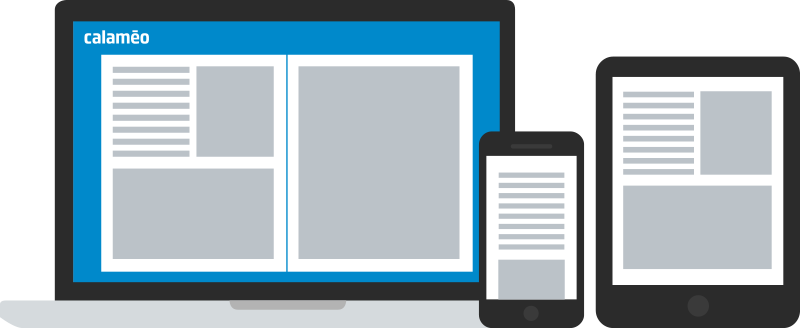
By making your publications easy and attractive to view on mobile screens, you can reach readers who prefer to use their phones to browse online. With Calaméo, you never have to worry about how your document will look beyond the desktop. Our powerful technology automatically optimizes your publications for cross-platform viewing. Links always stay right where you put them and your documents keep impeccable image quality on all mobile and tablet devices.
Social content
Smartphones open up an ideal avenue to bring your digital publications into the social media ecosystem. Mobile users spend a lot of time on apps—fully half the total time that they devote to digital media—and social networking apps play a big part. It has been estimated that the average person is on Facebook for 35 minutes a day and will scroll through 18 entire days on Twitter over the course of his or her lifetime.
It’s essential that sharing your publications is simple for your readers, even on smartphones. The share button on Calaméo’s viewer lets readers post about your publications on Facebook, Twitter, LinkedIn and more from their mobile devices in just a few taps.
The next step is to share your own publications on your business’s own social media accounts. Up to 47% of Facebook users access the service exclusively through the mobile app. You can maximize your ability to engage mobile users by adding your publications to your social profiles, so that readers can easily find and view them on their smartphones.
💡 TIP: Looking for social inspiration? Our Guide to Social Strategy is full of smart ideas for digital publishers.
What’s next
Responsive design and smart sharing allow your digital publications to shine on mobile devices. Go further with the biggest trends in smartphone usage: video content and mobile shopping.
Our PLATINUM plan has everything you need to take full advantage of your content’s mobile potential. Start by using the Editor to add Shopping links and embed videos directly inside your publications. Then, consult detailed statistics to find out what engaged your audience most and how they click on mobile. The results just might surprise you!